
7 Thermostat Programming Tricks to Slash Bills
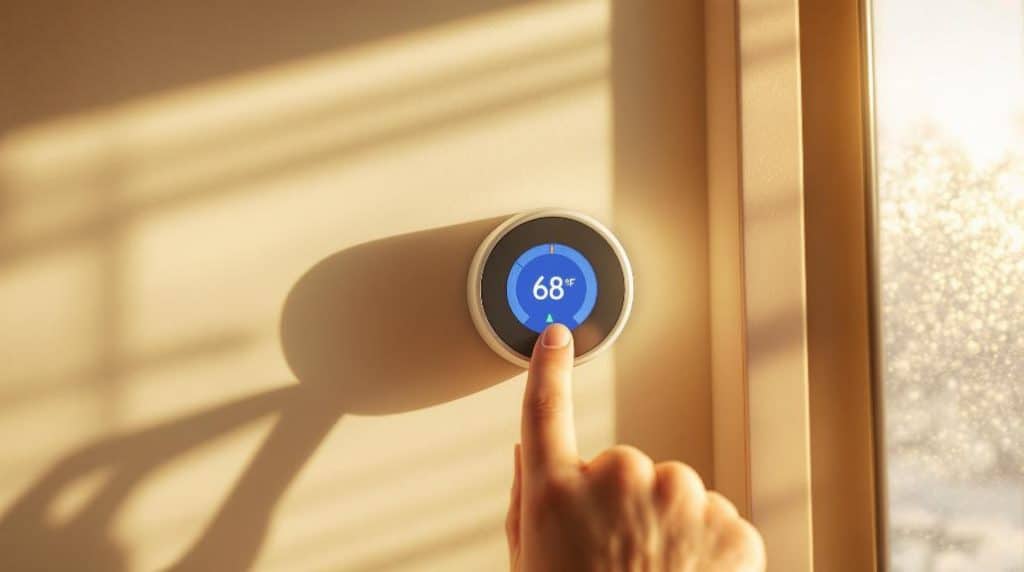
Want to slash your energy bills? Start by setting realistic temperature goals—aim for 20°C during the day and drop it at night! Use your programmable thermostat to automatically adjust while you're at work. Don't forget about sleep mode; it can save you! Monitor your energy reports to spot inefficiencies, and try to avoid overriding your settings too often. These small tweaks can yield big savings, and you might even feel more comfortable at home. Stay tuned; there's more to uncover that can help you maximise those savings even further!
Key Takeaways
- Set realistic temperature goals: maintain 20°-26° C indoors to balance comfort and energy efficiency while reducing utility bills.
- Utilise daily adjustments: lower temperatures by 4-6°C at night and set daytime around 20°C for optimal savings.
- Automate for work hours: programme lower temperatures during work hours (9:00 AM – 5:00 PM) to conserve energy when not at home.
- Implement slumber savings: adjust temperatures to 18°C in winter and 26°C in summer to maximise comfort and reduce energy costs during sleep.
- Monitor energy reports: track HVAC consumption and compare with similar homes to identify inefficiencies and motivate energy-saving actions.
Set Realistic Temperature Goals
Setting realistic temperature goals is essential for both comfort and energy efficiency in your home.
You'll want to aim for temperatures between 20° and 26° C, with 21° C in winter and 26° C in summer being the sweet spots for saving energy. This way, you stay comfy without breaking the bank.
When you're out, try setting the thermostat to 17° C in winter and 28° C in summer. It might feel a bit like a chilly adventure, but your wallet will thank you!
Also, lowering the thermostat by 6 degrees for eight hours can save you up to 10% on energy costs.
Utilize Daily Adjustments
Adjusting your thermostat throughout the day can lead to significant energy savings and increased comfort in your home.
For instance, lowering the temperature by 7-10°F at night can lead to more efficient heating and cooling. Aim for a cosy 60-67°F while you sleep; it's not just good for your budget, but also for a restful night's sleep!
When you head out for a winter vacation, set your thermostat to a chilly 50-55°F. This keeps your home safe from frozen pipes while conserving energy. A simple adjustment helps with heating costs during extended absences.
During the day, a comfortable 68°F is ideal. It's warm enough to keep you cosy while also being energy-efficient. If you're feeling adventurous, try lowering the thermostat by a couple of degrees; you mightn't even notice the difference.
Lastly, consider using a programmable thermostat. It allows you to customise temperatures based on your daily routine, ensuring you're comfortable without wasting energy.
Automate for Work Hours
While you're busy at work, automating your thermostat can save you both energy and money. Imagine coming home to a cosy home without wasting energy all day!
Here are some practical tips to help you set it up:
- Time-based Triggers: Set your thermostat to lower the temperature during work hours, like 9:00 AM to 5:00 PM.
- Override Mechanics: Create easy overrides for when you need to adjust the schedule, like on a day off or when working late.
- Smart Thermostat Capabilities: Use a digital thermostat that allows multiple daily settings and responds to occupancy, so it knows when you're home or away.
- Automation Benefits: Enjoy significant energy savings by maintaining comfortable temperatures only when needed, making your thermostat pay for itself in no time!
Implement Slumber Savings
Automating your thermostat during work hours is a great start, but don't forget about optimising your sleep environment for maximum energy savings. You can save energy and money just by adjusting your sleep temperature. In winter, set it to around 18°C, and in summer, aim for 26°C. This small change—lowering or raising the temperature by 3-6 degrees—can make a big difference!
Utilising your thermostat's scheduling features is another smart move. Programme it to kick in those cosy sleep settings right at bedtime, then switch back to comfort mode before you wake up. If you've got different sleep schedules on weekends, don't hesitate to adjust.
Here's a quick breakdown of how temperature changes can impact your bills:
| Change in Temperature | Energy Savings |
|---|---|
| Lower by 1°C | Up to 3% savings on heating |
| Raise by 1°C | Up to 3% savings on cooling |
| Consistent settings | Long-term savings |
Customize Pre-Set Programs
Customising pre-set programs on your thermostat can greatly enhance your energy savings and comfort.
You don't have to settle for those default schedules; take charge and tailor them to fit your lifestyle! Here are a few tips to get you started:
- Edit existing schedules: Modify the default temperature settings using your app or the thermostat interface to better match your daily routine.
- Add new temperatures: Create custom temperature presets for different times of the day. Just pick a day, set a time, and choose your desired temperature.
- Turn off Auto-Schedule: If you prefer manual control, disable the Auto-Schedule feature and take the reins on programming.
- Switch between schedules: Don't be afraid to toggle between Basic Schedule and Auto-Schedule on your Nest. Sometimes, variety is the spice of life!
Monitor Energy Reports
Monitoring energy reports is a smart way to stay on top of your home's energy usage and make informed decisions. With tools like Ecobee's Home Energy Reports, you can dive deep into your HVAC energy consumption.
These reports break down your daily, weekly, and monthly usage, helping you pinpoint when your system might be running too much—like that awkward time when you left the AC blasting while on holiday!
You'll also see how your energy habits stack up against similar homes in your neighbourhood. It's a little friendly competition that might just inspire you to cut back.
Plus, with an energy efficiency rank, you'll get nudged towards making more sustainable choices. The reports offer tips to improve your home's efficiency, so you can tackle potential issues head-on.
They even come with bar graphs to visualise your consumption alongside outdoor weather. It's like having a personal energy coach right in your home!
Avoid Overriding Settings
While it might be tempting to constantly adjust your thermostat settings for immediate comfort, doing so can actually hinder your home's energy efficiency.
Instead of playing a game of thermostat tug-of-war, let's stick to a consistent schedule and save some money.
Here are four reasons to avoid those frequent overrides:
- System Efficiency: Constantly changing settings can confuse your HVAC system, making it work harder than necessary.
- Higher Bills: Every time you adjust, you risk reheating or cooling unnecessarily, which spikes your energy costs.
- System Strain: Frequent adjustments can wear down your heating and cooling systems, shortening their lifespan.
- Inconsistent Comfort: You might end up with temperatures that are warmer or cooler than you intended, leaving you uncomfortable.
Conclusion
By using these thermostat programming tricks, you can really make a difference in your energy bills. Setting realistic temps, automating for work, and embracing those slumber savings are just a few ways to keep your home comfy without breaking the bank. Remember, every little adjustment counts! So, don't hesitate to get creative with your thermostat settings. Who knew saving money could feel this good? Let's keep those bills down and the comfort level up!
Want smarter heating control? I carry out smart thermostat installation in Dartford and Gravesend.